
Explore Products
JSAUX FlipGo Horizon Pro Laptop Screen Extender 15.6 Inch, Patented Snap-Lock Technology, 1080P FHD IPS Dual Screen Monitor, Triple Screen Laptop Monitor Extender Compatible with Windows/macOS/MacBook
JSAUX FlipGo Horizon Pro Laptop Screen Extender 15.6 Inch, Patented Snap-Lock Technology, 1080P FHD IPS Dual Screen Monitor, Triple Screen Laptop Monitor Extender Compatible with Windows/macOS/MacBook
Item Details
Seller

Nellis Auction
Pickup Location
4031 Market Center Dr Suite 303
North Las Vegas, NV, 89030
Quality
New
Functional
No Damage
Assembly Required
In Package
No Missing Parts
Auction closes
-Estimated Retail Price
$439.78
Buyers Premium
15%
Inventory Number
1072578496
Additional Details from the Manufacturer
This item information is coming from the manufacturer. Some of the details may vary from the Nellis Auction listing. Please check the Quality Rating and Notes for information specific to this listing
brand
JSAUXcolor
BlackMore features
- 【Important Notice Before Buy】1, Windows and macOS system need install USBdisplay driver before use. You can contact us or scan the QR code on the package to get driver. Please ensure your work environment allow you to install our driver. 2, macOS system does not support using two monitors in vertical orientation at the same time. 3, The monitor runs at lower brightness without a power connection to reduce power consumption. We recommend connecting it to a power source for a better user experience.
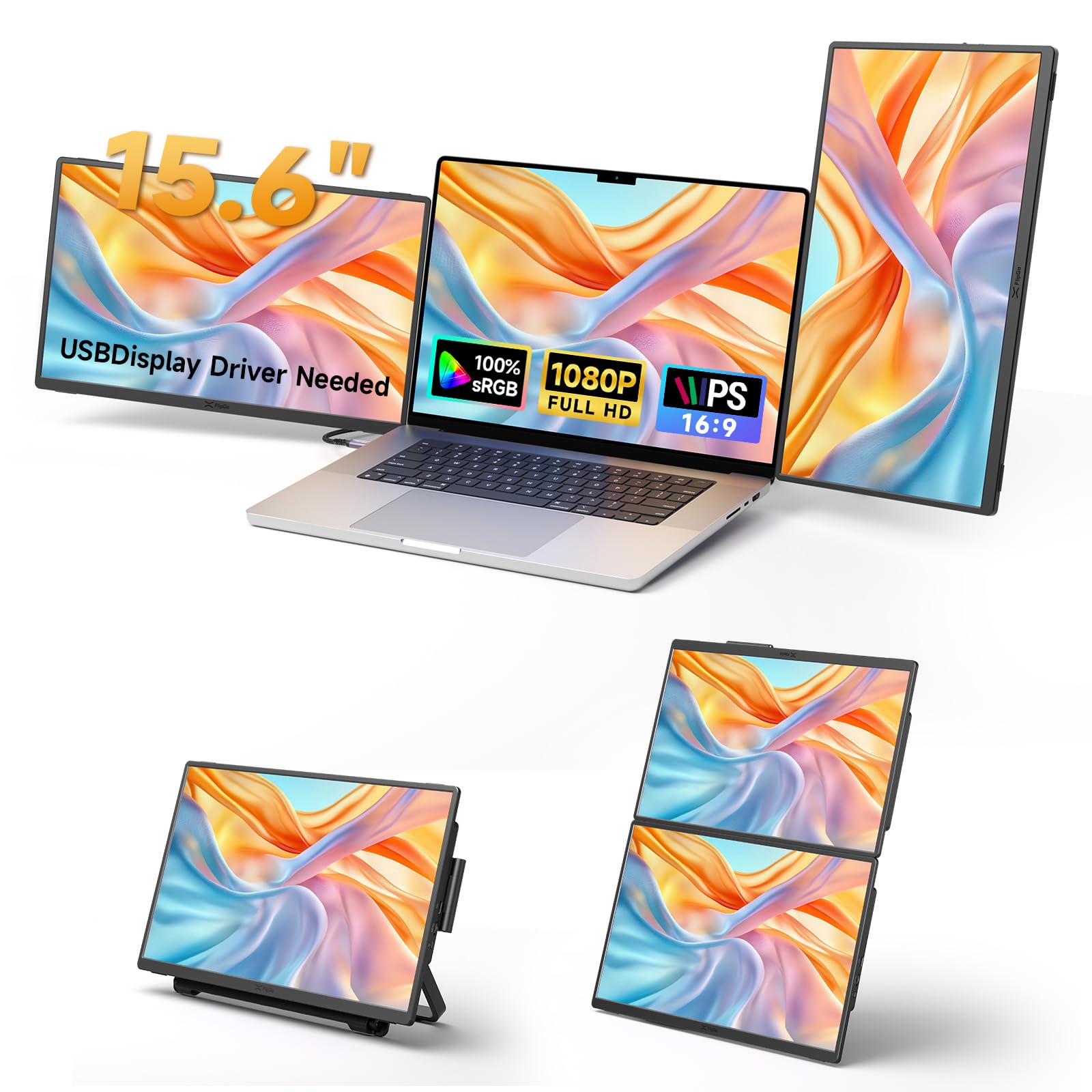
- 【Practical Workstation】Each screen extender is detachable. You can place them horizontally, vertically, or stacked; combine them freely according to your needs. They can help increase your productivity by enabling you to see more at one time rather than having to flip back and forth between open windows. You can easily handle multiple tasks at the same time without feeling cramped. Note: Two FlipGo monitors cannot be combined into one large screen (Ultra View).
- 【Screen Extender 15.6 Inch】Enjoy vibrant color with 100%sRGB, 1080P resolution. 300 nits brightness, 178° viewing angle, IPS technology, 60hz refresh rate making videos and presentations look clean, brightness is uniform and the viewing angle is wide. Each laptop screen extender has two USB C ports and one mini hdmi port. You can use USB C cable or mini hdmi cable connect to your laptop
- 【Patented Connection Technology: Snap-Lock】Our monitor use patented Snap-Lock system, just one snap, the monitor is securely attached on snap stand pro. Snap-Lock uses unique mechanical structure, enhanced by magnetic-assist alignment. You can switch between horizontal and vertical in a second. A powerful mobile workstation can be set up in minutes.
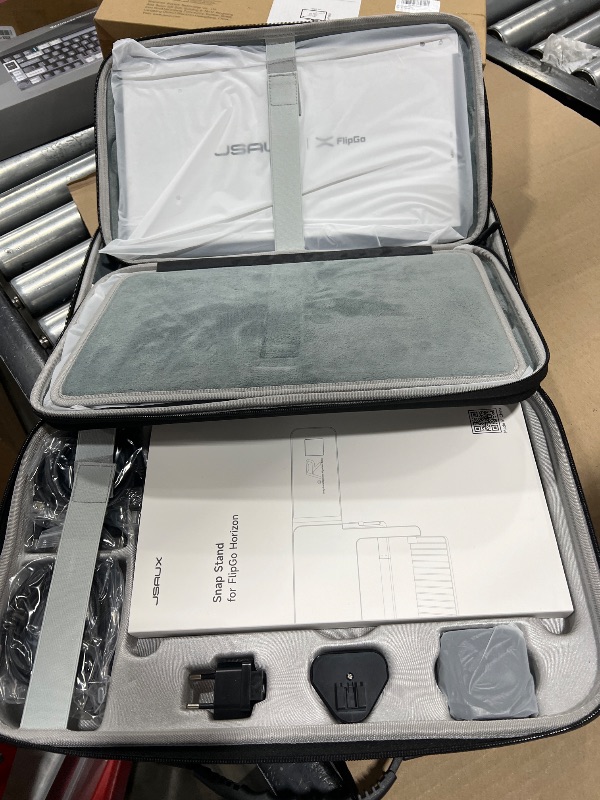
- 【Snap Stand Pro】Our Snap Stand Pro is a stand for portable monitor and also functions as a docking station. For stand function, it carries the monitor's full weight. You can adjust the tilt of the stand to change the portable monitor’s angle and find a comfortable viewing position. For docking station function, this stand has four USB C ports, three USB A ports, one RJ45 port. Expand your laptop for more devices.
- 【Wide Compatibility】JSAUX laptop screen extender is compatible with Windows, macOS (including MacBooks with M1, M2, M3, and M4 chips), PS, Xbox, Switch. Note: Windows and macOS systems need to install our driver in order to use both screens.
- 【How to Use】Step 1, download and install our USBdisplay driver on your laptop. Step 2, unfolding snap stand pro, place your laptop and screen extender on it. Step 2, connect screen extender to stand by USB C cable. Step 3, connect your laptop to stand by USB C cable. Step 5, open your computer's displays settings and select mirror mode or extend mode.

Getting Started
Learn more about bidding, winning, pickup, and more on our video tutorials page.
Visit Video Tutorials